Request a new invitation
If you lost or didn’t receive your invitation to create a League account, don’t worry! Follow these instructions to request a new one and get started with League.
See instructions for:
On mobile
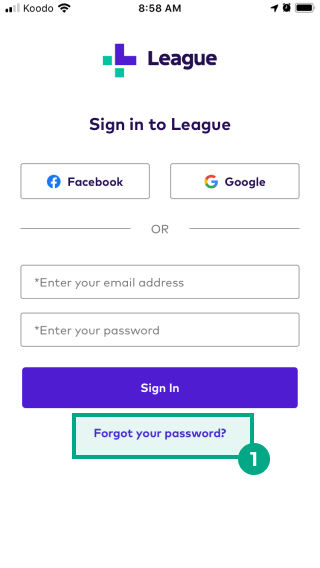
1. On the sign in page, click “Forgot password?".
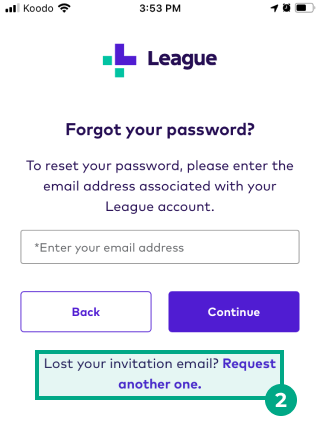
2. Tap “Request another one”.
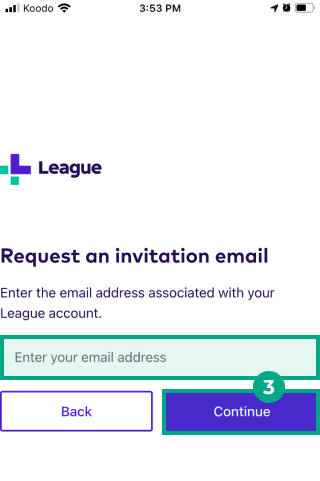
3. Enter the email address associated with your League account, then tap “Continue”.
We’ll now email you a new invitation! Follow the link in the invitation to create your League account.
If you don’t receive your new invitation email within 30 minutes of your request:
-
Make sure you entered the email address associated with your League account
-
Check your spam or junk folder
-
Follow the steps in our FAQ about troubleshooting account access or performance issues
-
Email us at [email protected]
On Web
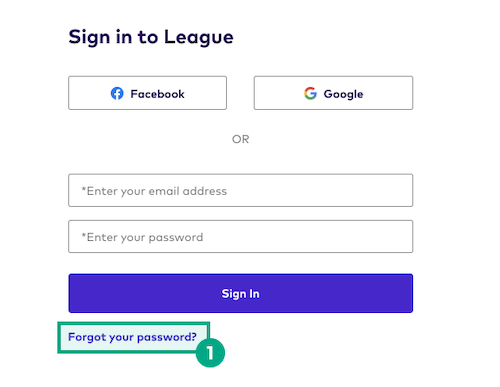
1. On the sign in page, click “Forgot password?".
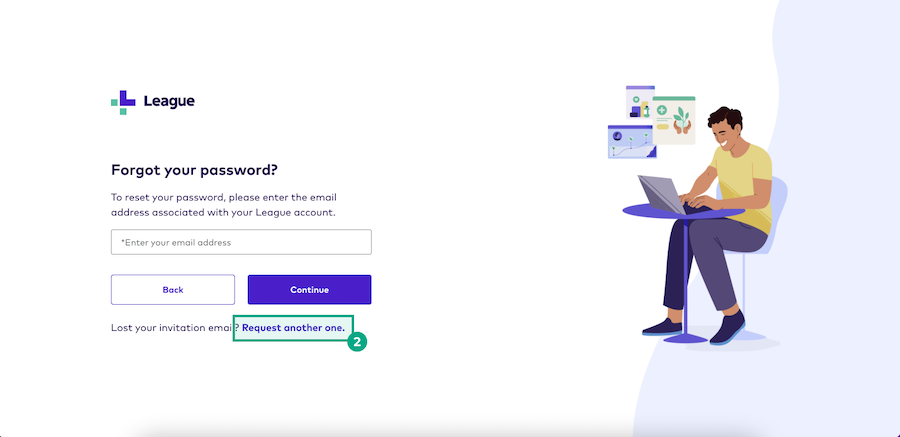
2. Click “Request another one”.
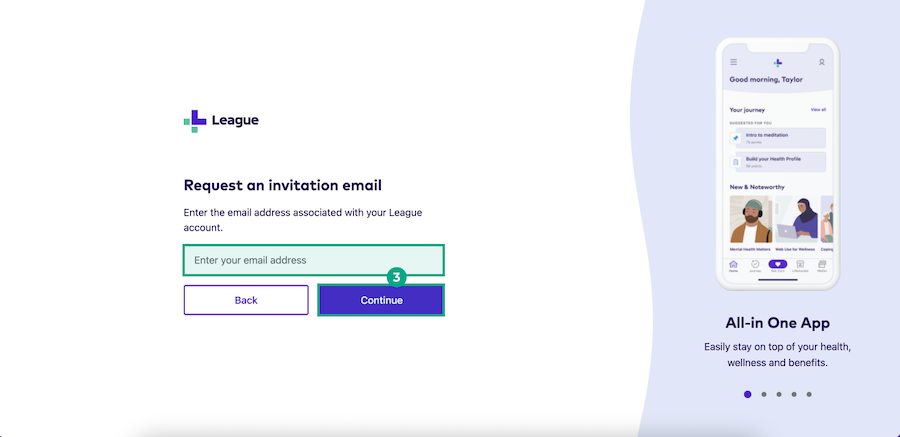
3. Enter the email address associated with your League account, then click “Continue”.
We’ll now email you a new invitation! Follow the link in the invitation to create your League account.
If you don’t receive your new invitation email within 30 minutes of your request:
-
Make sure you entered the email address associated with your League account
-
Check your spam or junk folder
-
Follow the steps in our FAQ about troubleshooting account access or performance issues
-
Email us at [email protected]